How To Register Personal Nameservers
Register Personal Nameservers
Please follow the steps below to register or modify personal nameservers:
1.Log in to your account and go to " My Products > Domain name"
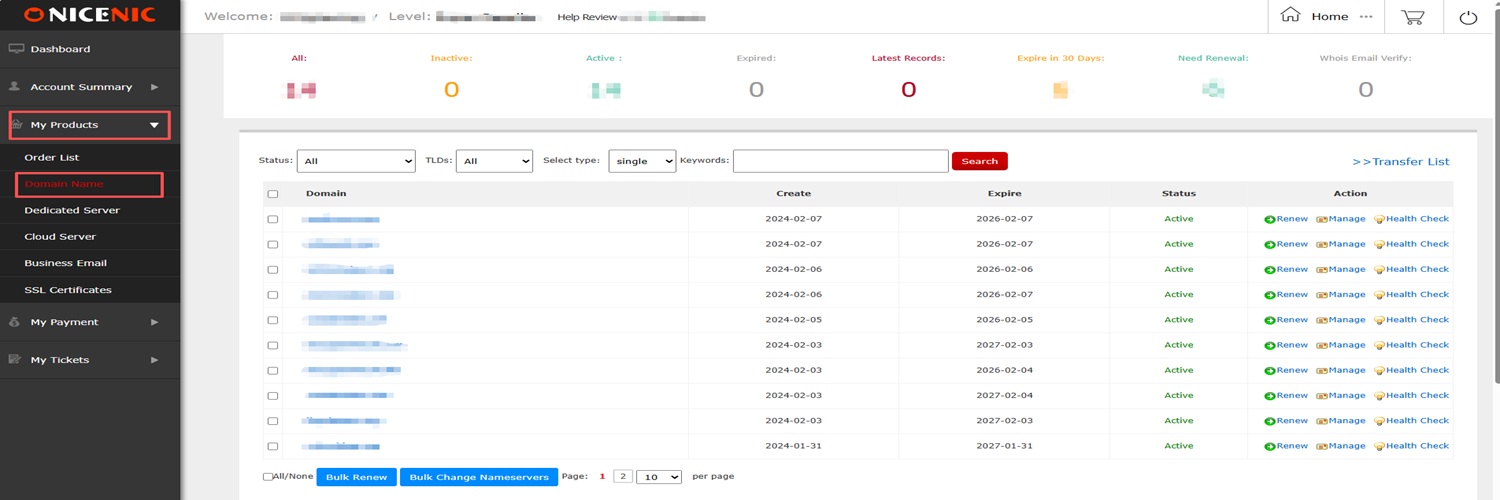
2. Click the domain name you want to manage
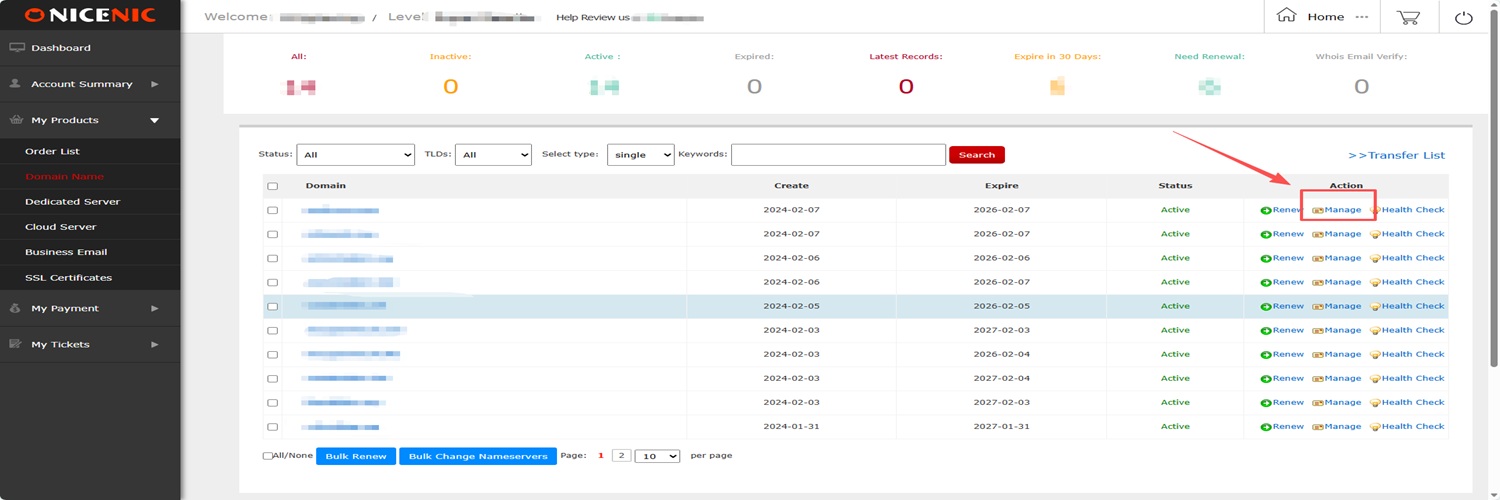
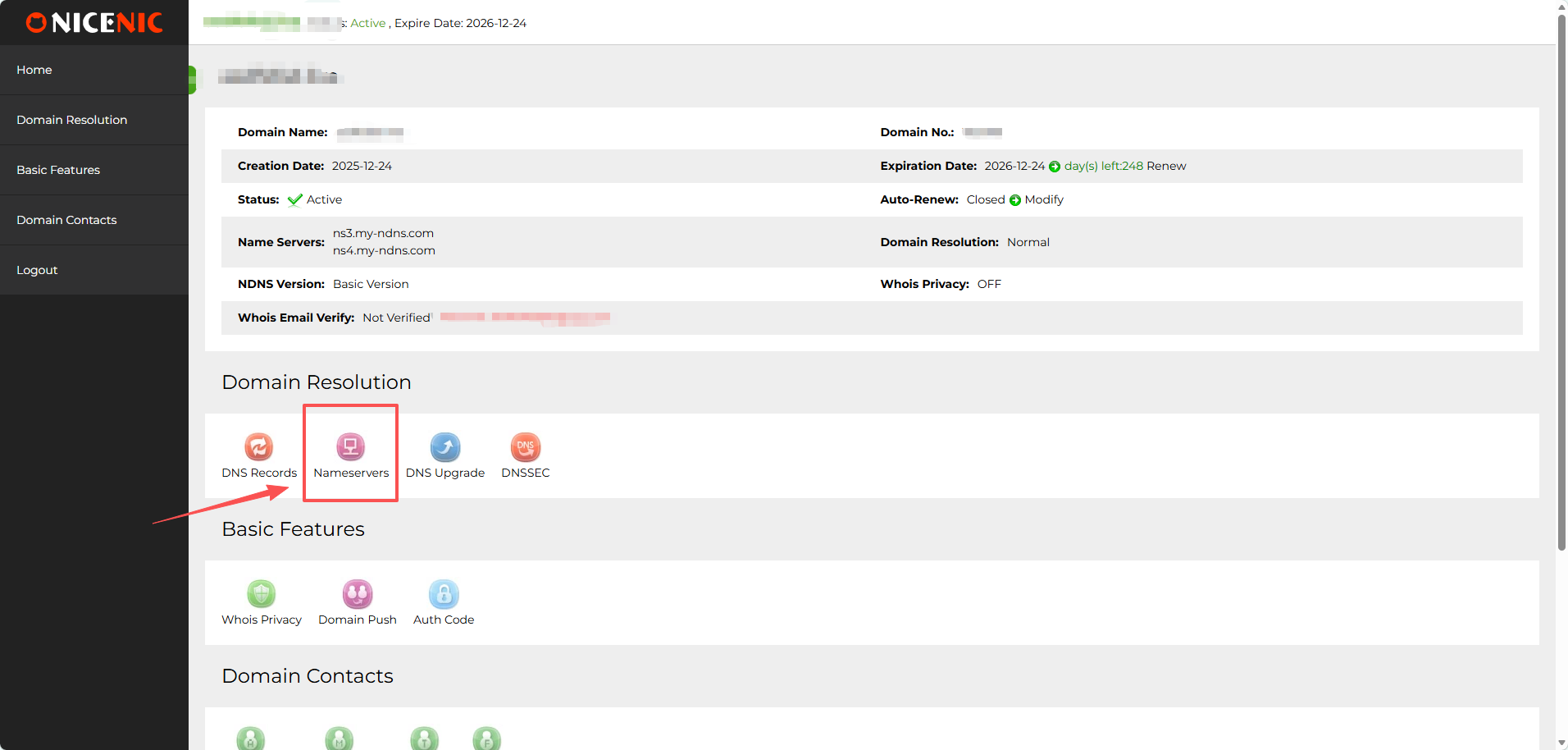
3. Click Nameservers
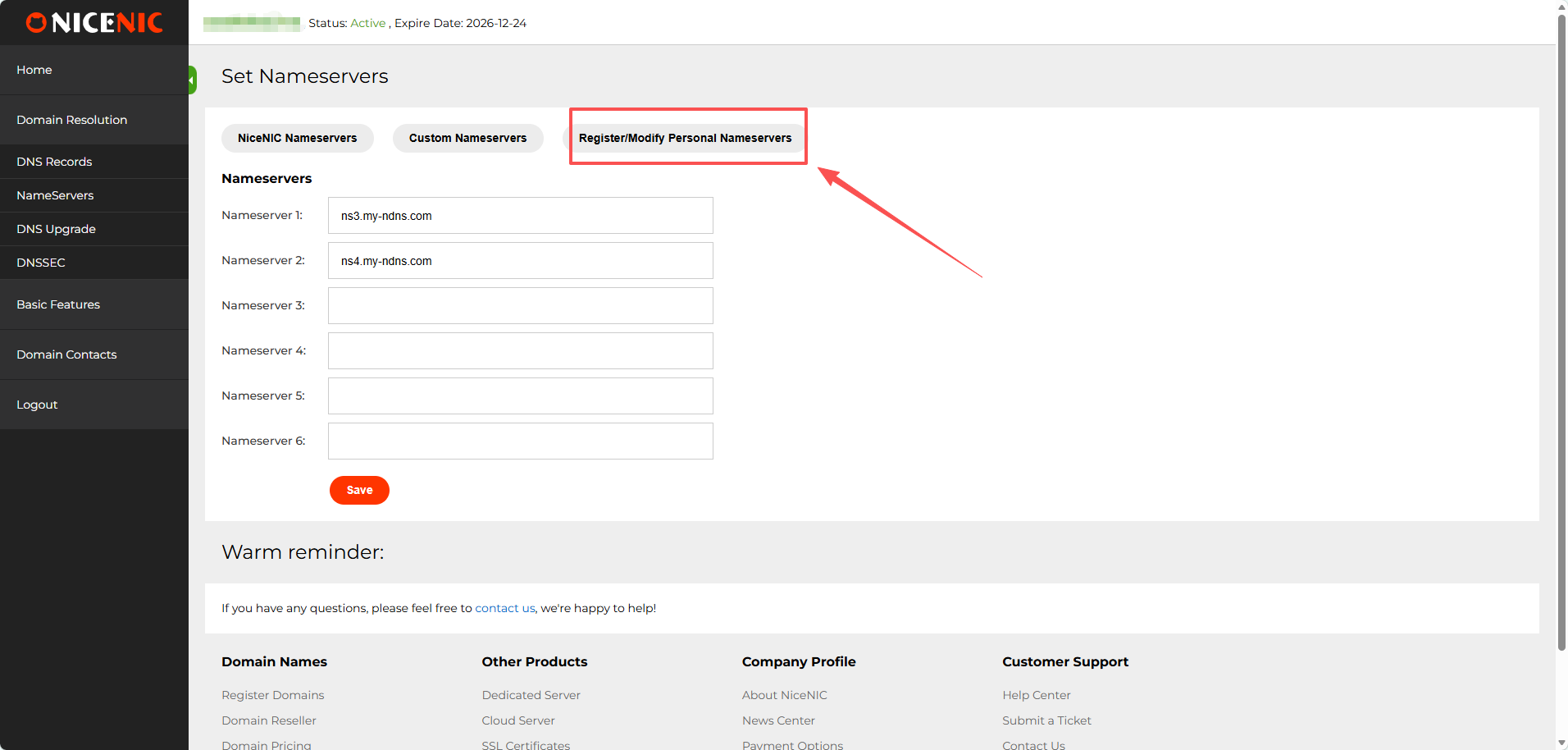
4. Click Register / Modify Personal Nameserver
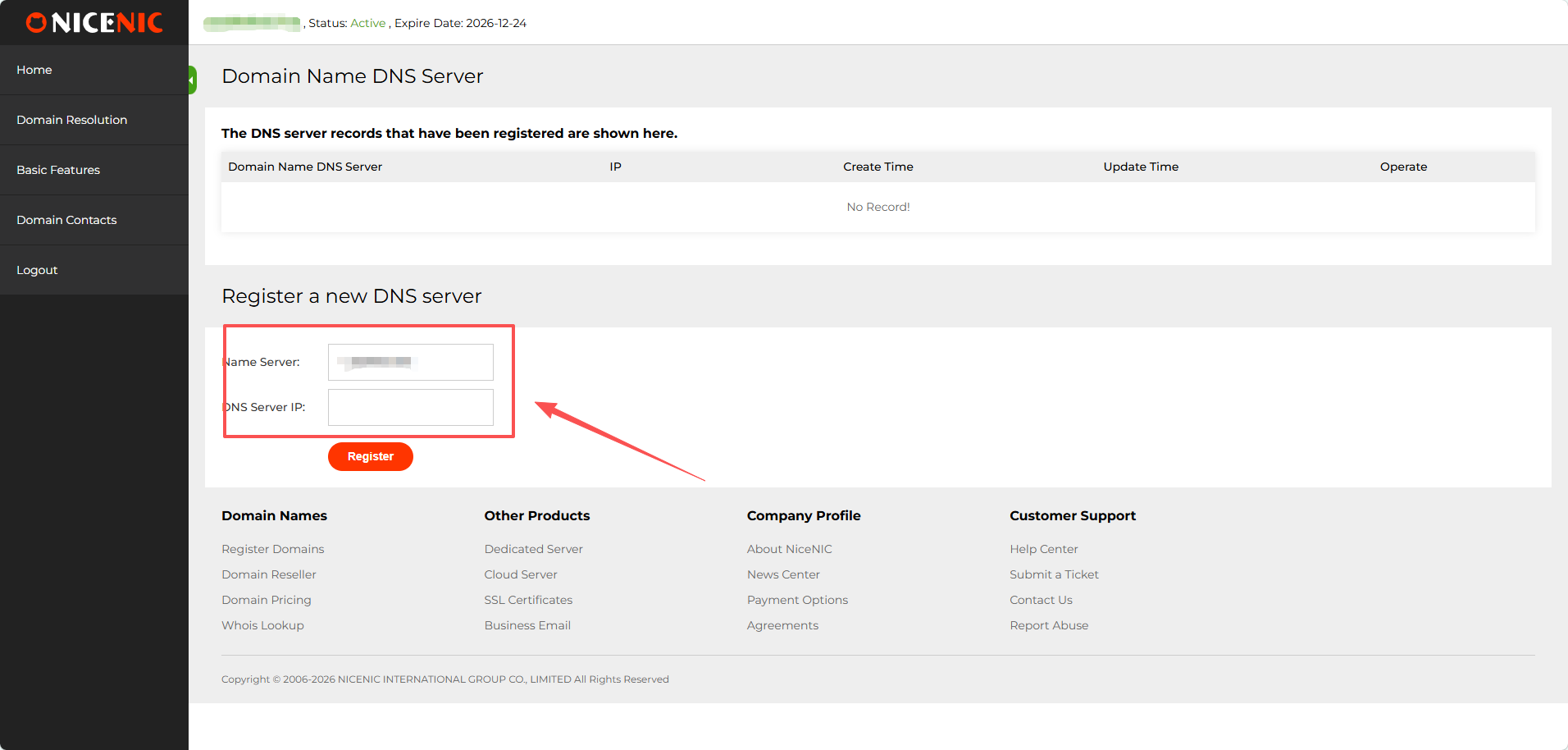
5. Enter the Name Server you desired and DNS server IP address, then click register
How to modify your personal nameserver
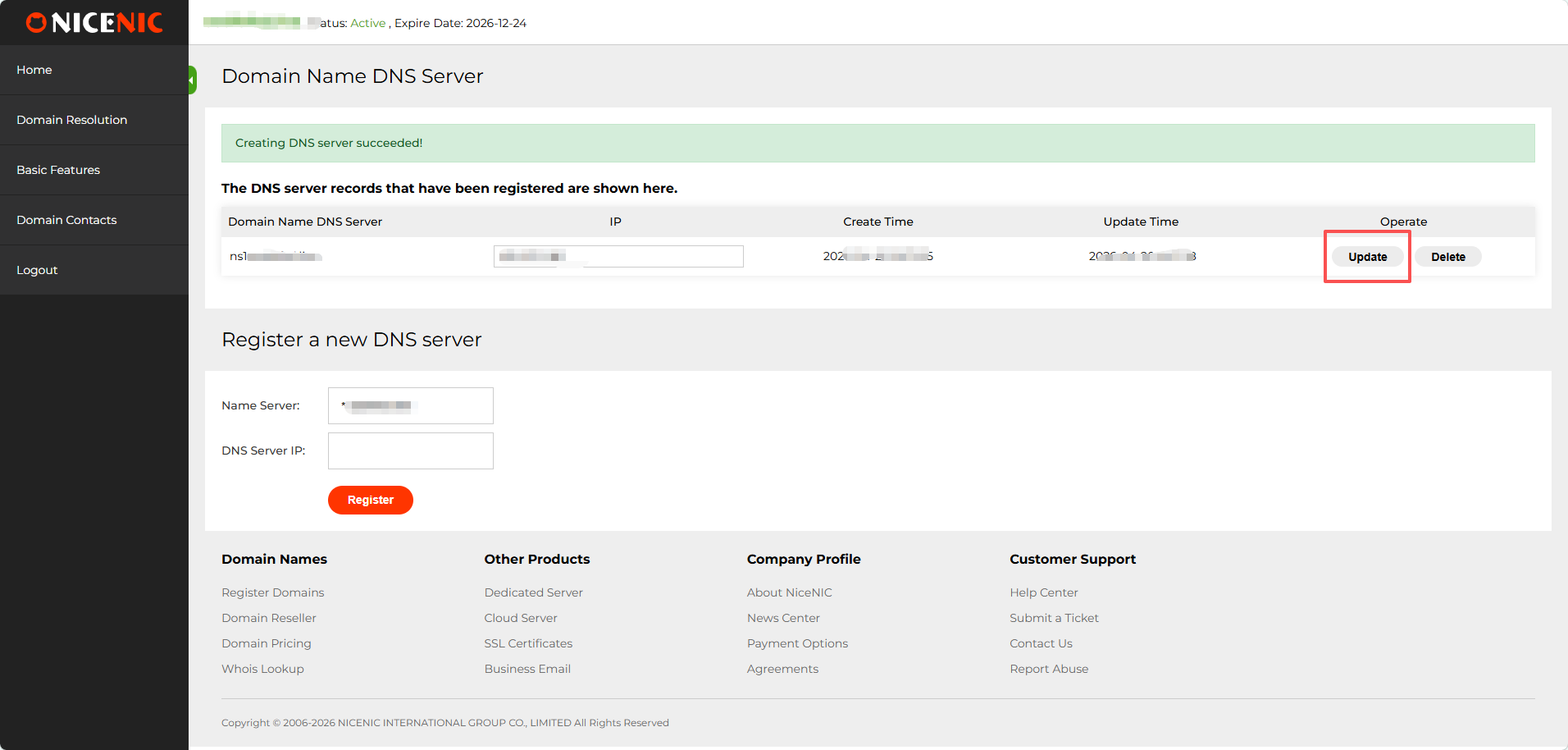
It is easy, just modify your desired IP address, then click update.If you want to change your Nameserver'name,just register a new one.
Please follow the steps below to register or modify personal nameservers:
1.Log in to your account and go to " My Products > Domain name"
2. Click the domain name you want to manage
3. Click Nameservers
4. Click Register / Modify Personal Nameserver
5. Enter the Name Server you desired and DNS server IP address, then click register
How to modify your personal nameserver
It is easy, just modify your desired IP address, then click update.If you want to change your Nameserver'name,just register a new one.