=
How to Set Up or Turn Off Auto-Renewal for a Single Domain
发布时间:2026-07-11 14:24:35   浏览人数: 72 次  
How to Set Up or Turn Off Auto-Renewal for a Single Domain

Auto-renewal helps prevent your domain from expiring by renewing it automatically when renewal is due.
For a single domain, you can enable or disable auto-renewal from the domain management page.

How to Access Auto-Renewal Settings
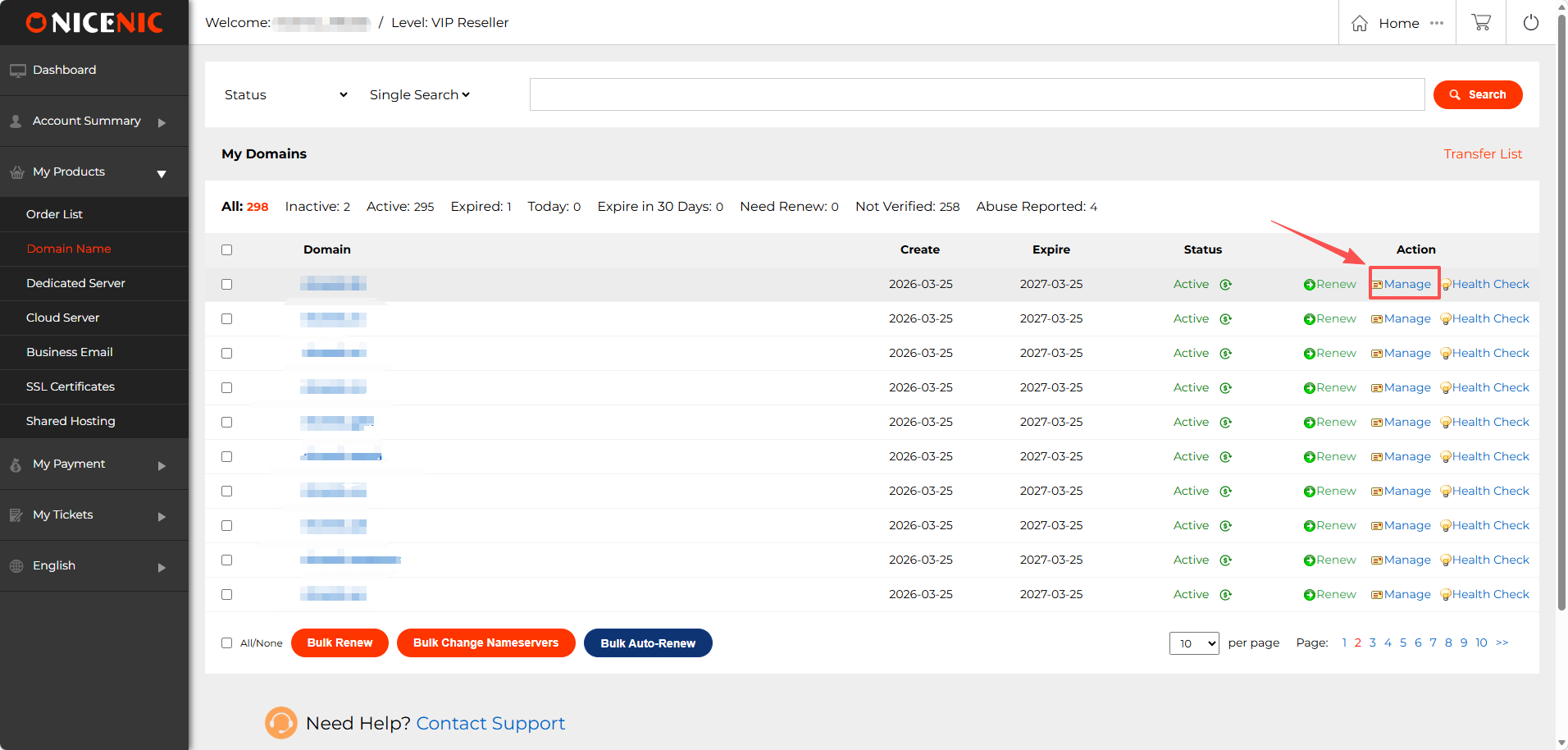
Step 1: Log in to your NiceNIC account
Navigate to: My Products > Domain Name
Find the domain you want to manage, then click "Manage"
How to Set Up or Turn Off Auto-Renewal for a Single Domain

Step 2: Op
en Auto-Renewal Settings

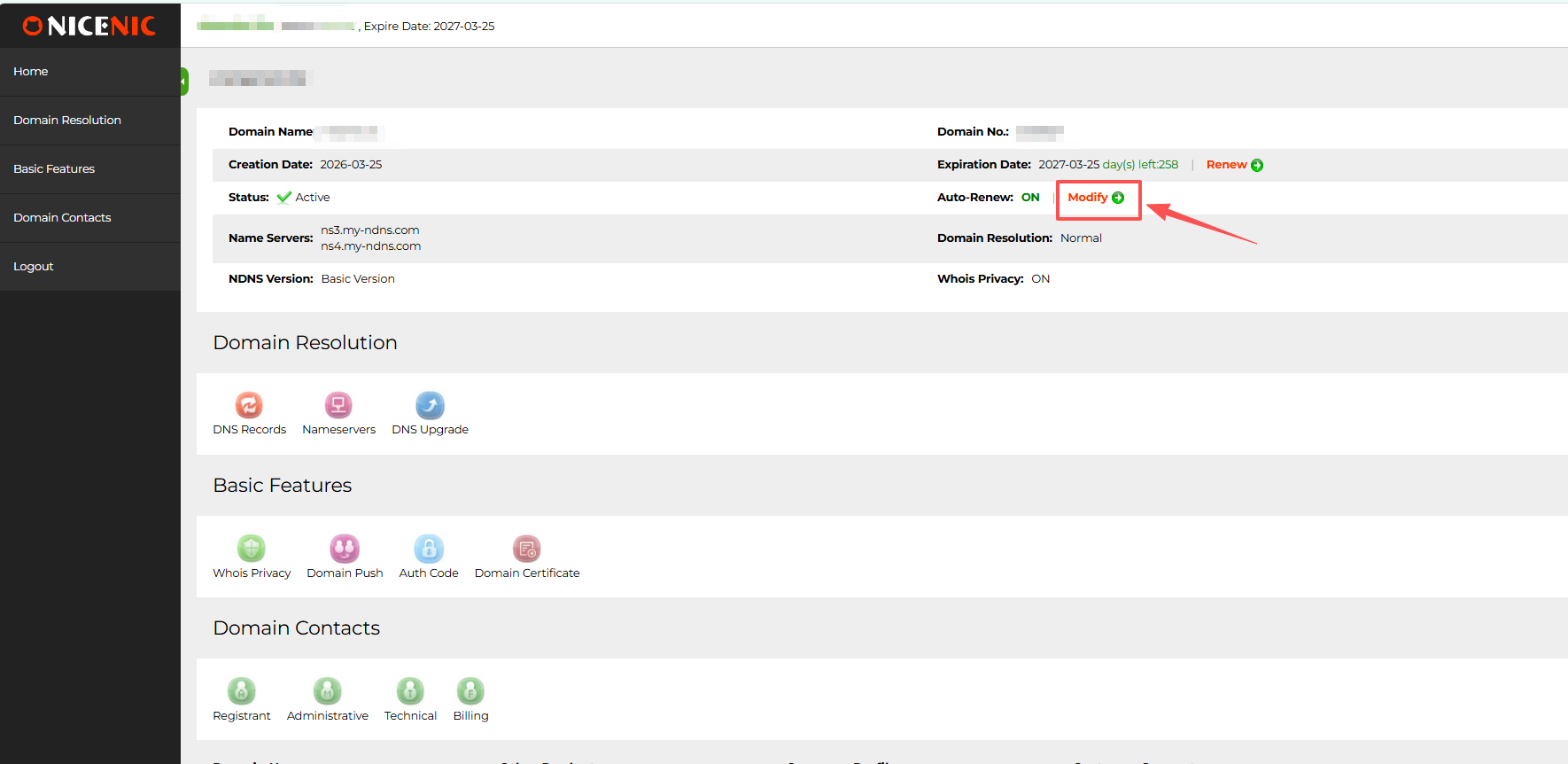
On the domain management page, find "Auto-Renew"
Then click "Modify"
How to Set Up or Turn Off Auto-Renewal for a Single Domain

Step 3: Set Auto-Renewal Options
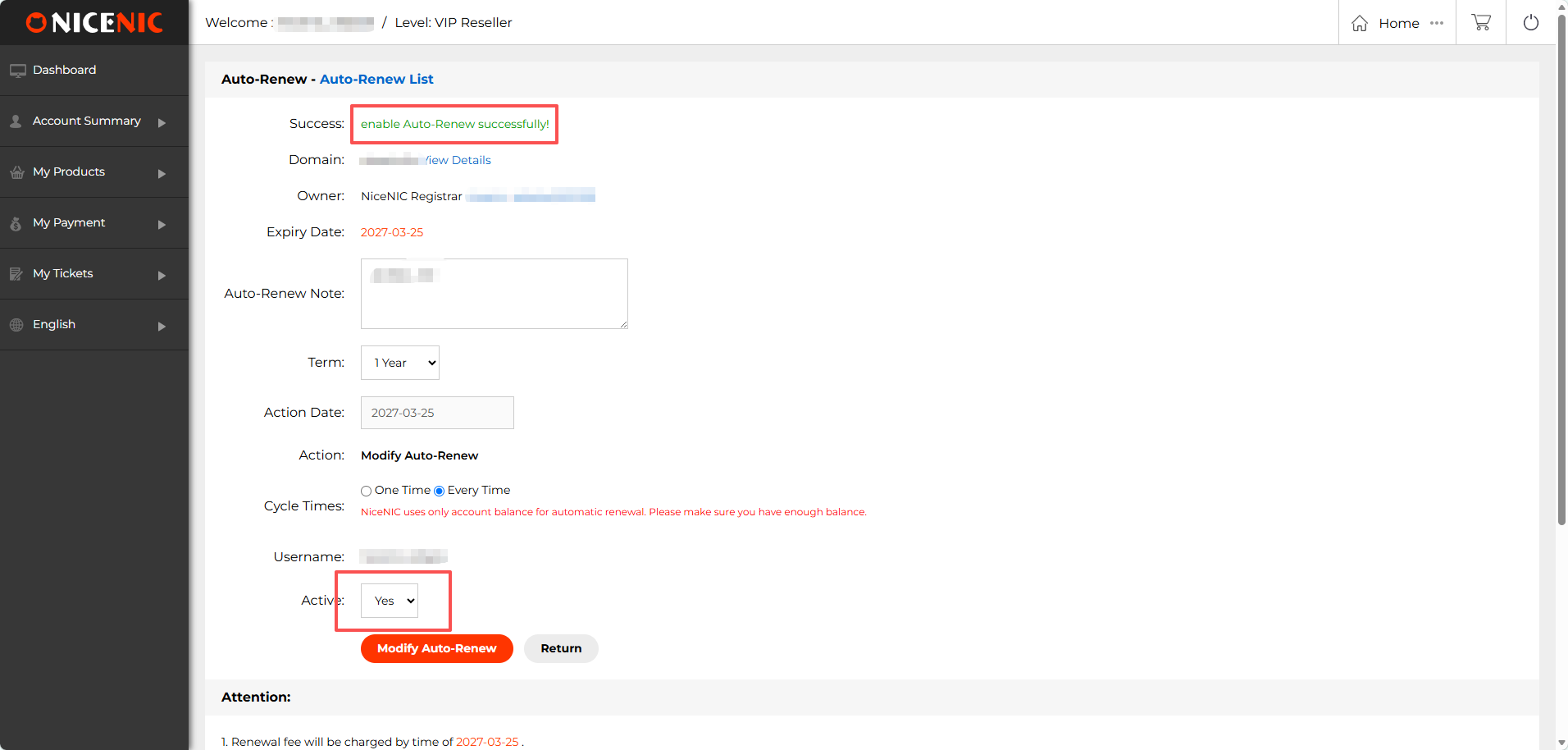
On the auto-renewal page, you can set the renewal term, renewal mode, and active status.

Step 4: Check the Result
If you selected Active: Yes, the page may show: enable Auto-Renew successfully!
This means auto-renewal has been enabled for the domain.
How to Set Up or Turn Off Auto-Renewal for a Single Domain

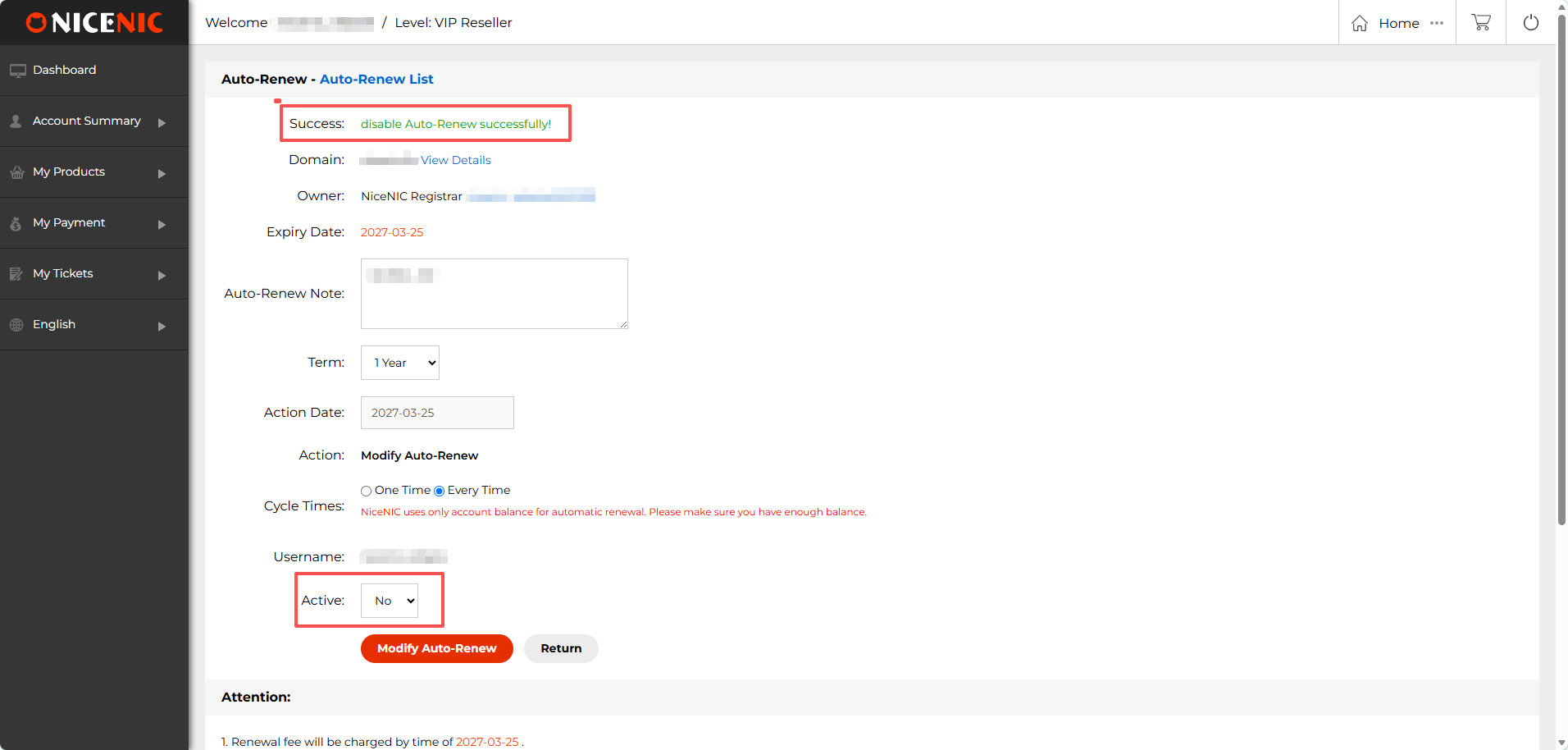
If you selected Active: No, the page may show: disable Auto-Renew successfully!

This means auto-renewal has been turned off for the domain.
How to Set Up or Turn Off Auto-Renewal for a Single Domain


看不明白该文挡,发信息给我们:
用户: * 密码: * (需要登陆
标题:
内容:

查询关键词字:   
How to Set Up or Turn Off Auto-Renewal for a Single Domain
发布时间:2026-07-11 14:24:35   浏览人数: 72 次  

How to Set Up or Turn Off Auto-Renewal for a Single Domain

Auto-renewal helps prevent your domain from expiring by renewing it automatically when renewal is due.
For a single domain, you can enable or disable auto-renewal from the domain management page.

How to Access Auto-Renewal Settings
Step 1: Log in to your NiceNIC account
Navigate to: My Products > Domain Name
Find the domain you want to manage, then click "Manage"
How to Set Up or Turn Off Auto-Renewal for a Single Domain

Step 2: Op
en Auto-Renewal Settings

On the domain management page, find "Auto-Renew"
Then click "Modify"
How to Set Up or Turn Off Auto-Renewal for a Single Domain

Step 3: Set Auto-Renewal Options
On the auto-renewal page, you can set the renewal term, renewal mode, and active status.

Step 4: Check the Result
If you selected Active: Yes, the page may show: enable Auto-Renew successfully!
This means auto-renewal has been enabled for the domain.
How to Set Up or Turn Off Auto-Renewal for a Single Domain

If you selected Active: No, the page may show: disable Auto-Renew successfully!

This means auto-renewal has been turned off for the domain.
How to Set Up or Turn Off Auto-Renewal for a Single Domain


看不明白该文挡,发信息给我们:
用户: * 密码: * (需要登陆
标题:
内容:

联系我们

销售电话(400-151-5798)

售后服务(3366365-808)

服务邮箱(service@xpp.cn)

加盟QQ(1405520588)

微信公众号
关于我们

中华人民共和国增值电信业务经营许可证: B2-20150291

小胖传播 ? 版权所有 Copyright ? 2000-2026 XPP.cn. All rights reserved  备案号码:粤ICP备17140174号

声明:本网站中所使用到的其他各种版权内容,包括但不限于文章、图片、视频、音频、字体等内容版权归原作者所有,如权利所有人发现,请及时告知,以便我们删除版权内容

小胖传播 ? 版权所有 Copyright ? 2000-2017 NiceNIC.net,Inc. All rights reserved  备案号:粤ICP备17140174号

声明:本网站中所使用到的其他各种版权内容,包括但不限于文章、图片、视频、音频、字体等内容版权归原作者所有,如权利所有人发现,请及时告知,以便我们删除版权内容

产品

域名注册 软文代写 海报设计
多词推 品牌推 全球推
媒体营销 微博营销 微信营销 论坛营销 视频营销