
=
Domain search process
When you look for a domain using our Domain Name Search, you'll find the information regarding its availability with a list of similar domain names you may be interested in. Our Domain search tool allows to check options for a number of names and set various filters:
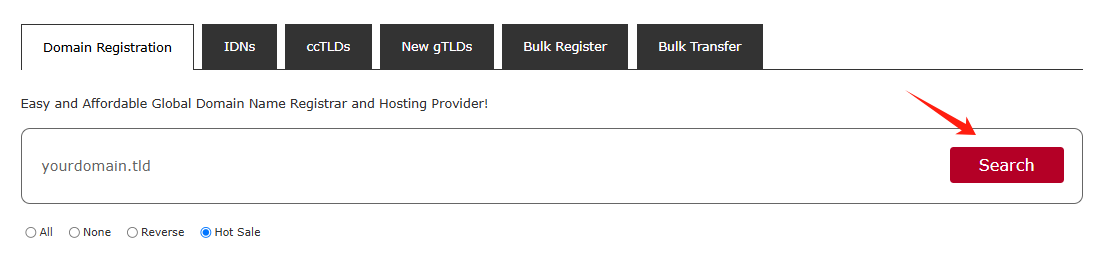
You can enter fully-qualified domain names (Top-Level Domains or TLDs like .com, .net, etc.) or select TLDs from the list:
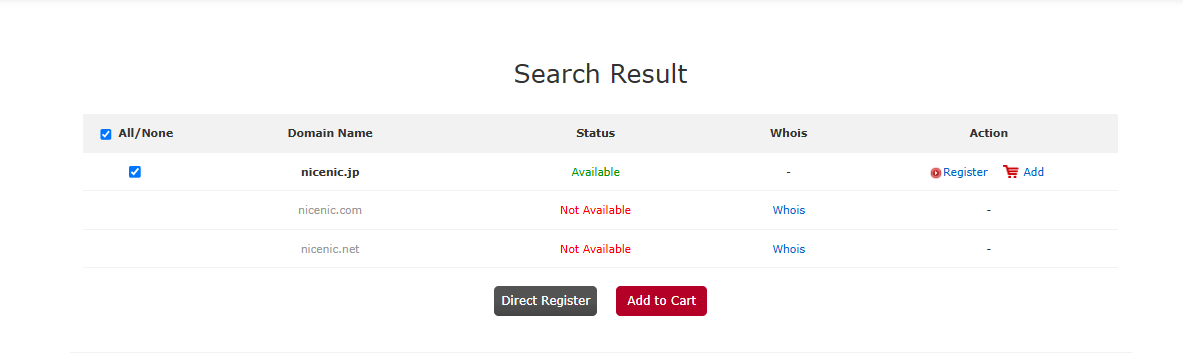
There are several different statuses that a domain can have:
Available: The domain name is available for registration. You will see the Add to Cart button next to these types of domain names.
Not Available: The domain name is either registered by someone else or reserved by the Registry.
Click on the "Register" or "Add" button to select the additional products you'd like.
Domain configuration
If you are not logged in, you will be prompted to enter your NiceNIC account username and password on the next page. If you do not have a NiceNIC account, you will be able to create one on the same page.
Click on the "Add" button to select
If you register a domain name for the first time, Please provided your contact information (the postal address, phone, etc.).
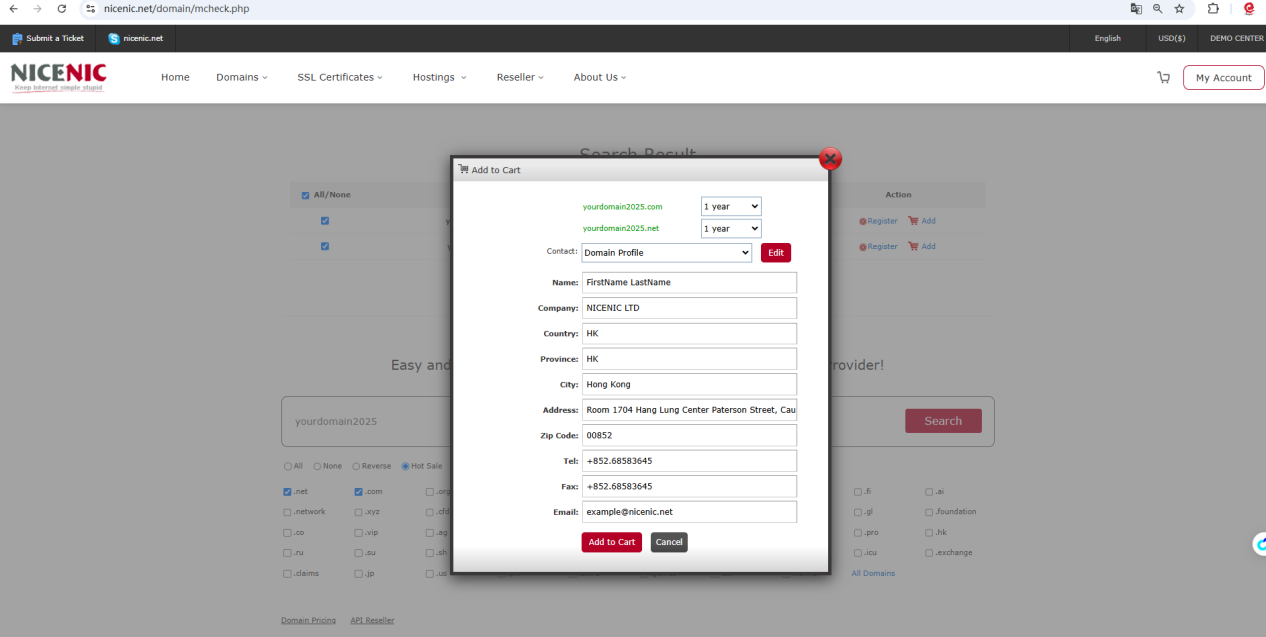
Or you can Click on the "Register" button to select and provided your contact information (the postal address, phone, etc.).
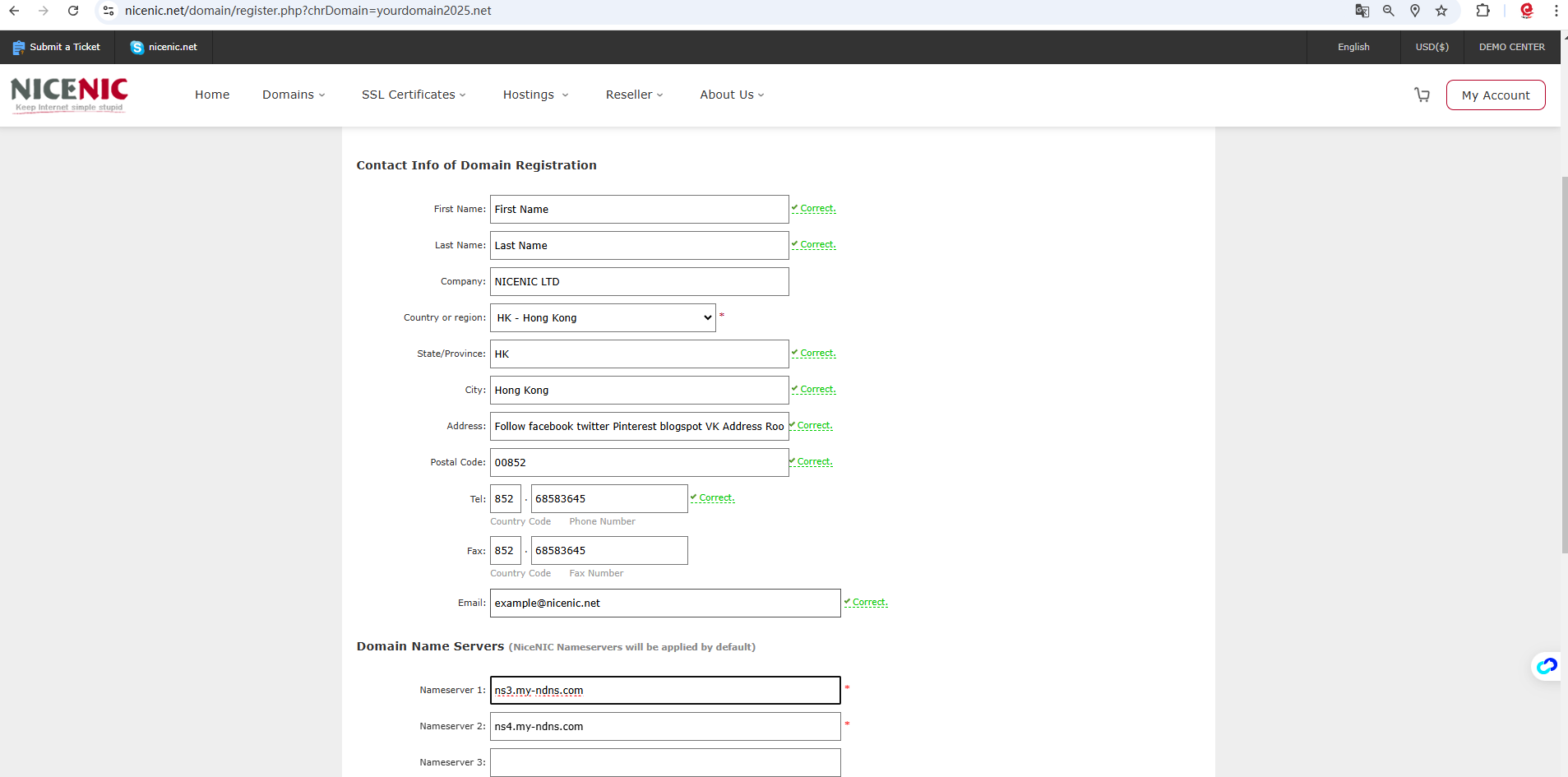
Click on the "Add to Card" then click on the "Check Out"

Click on the "Confirm Order"
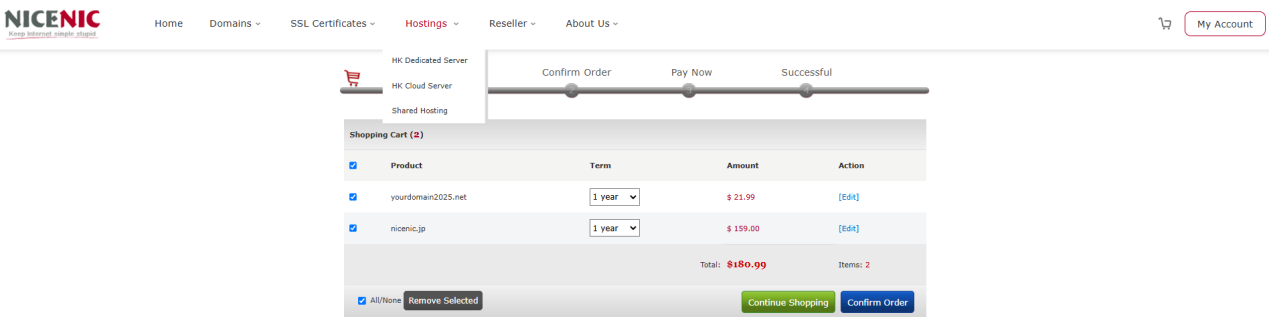
Click on the "Pay Now"
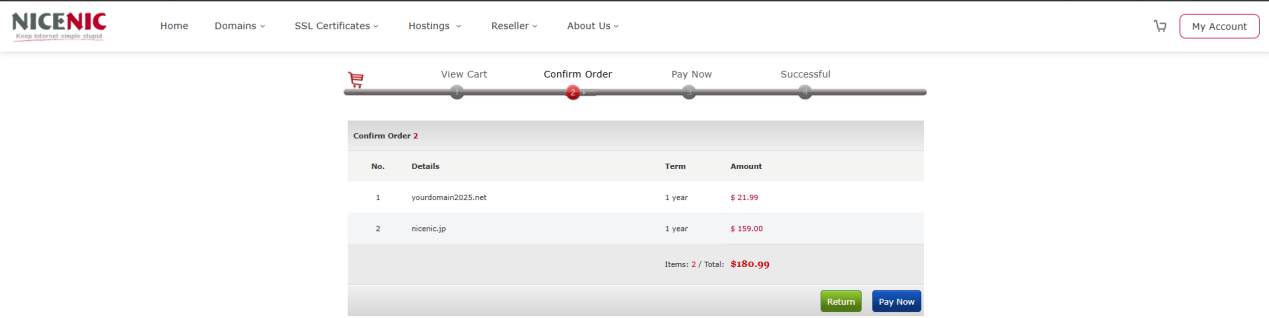
When you are ready to place your order, click on the Online Payment button

The selected items are processed one by one, and when your order is complete, the order summary will be sent to your primary email address.

中华人民共和国增值电信业务经营许可证: B2-20150291
小胖传播 ? 版权所有 Copyright ? 2000-2026 XPP.cn. All rights reserved 备案号码:粤ICP备17140174号
声明:本网站中所使用到的其他各种版权内容,包括但不限于文章、图片、视频、音频、字体等内容版权归原作者所有,如权利所有人发现,请及时告知,以便我们删除版权内容



 返回
返回 打印
打印 提问
提问


