
=
Manage DNS Records
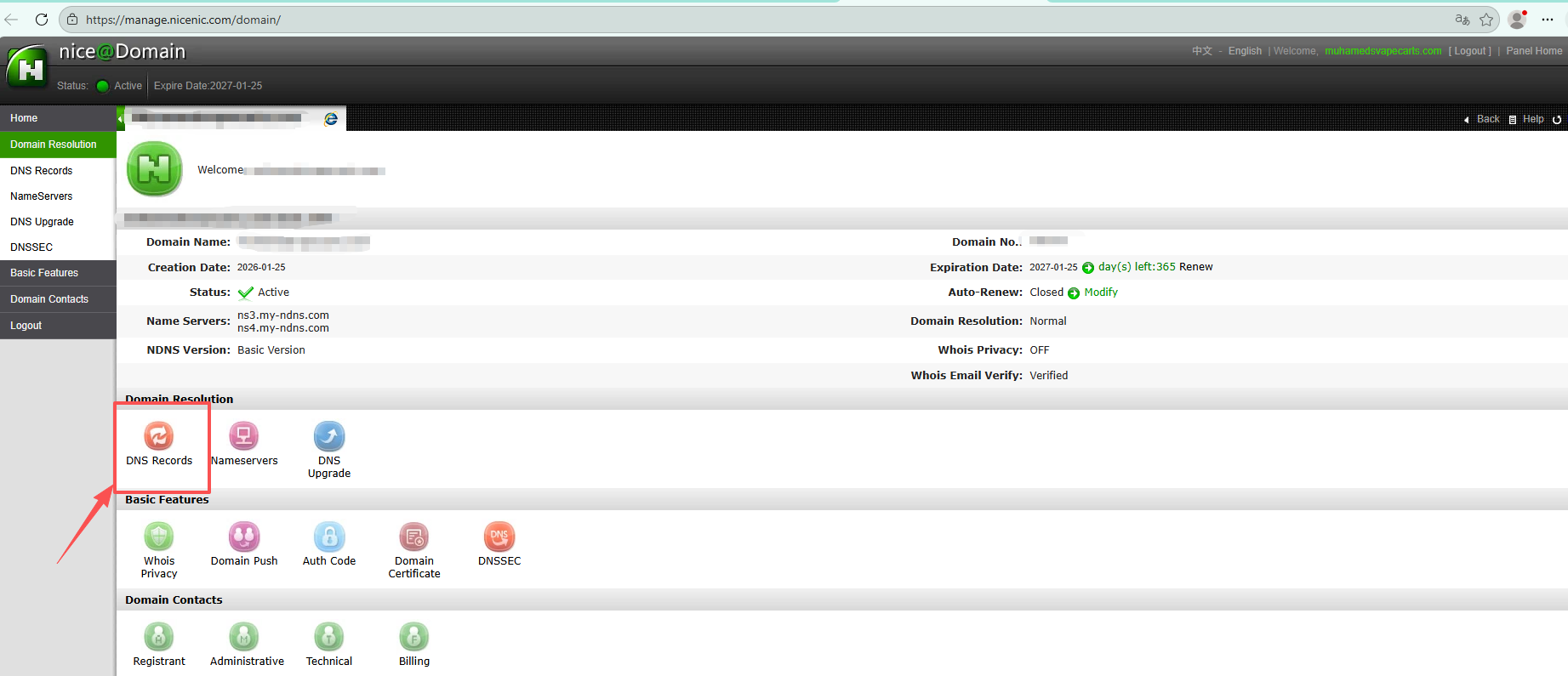
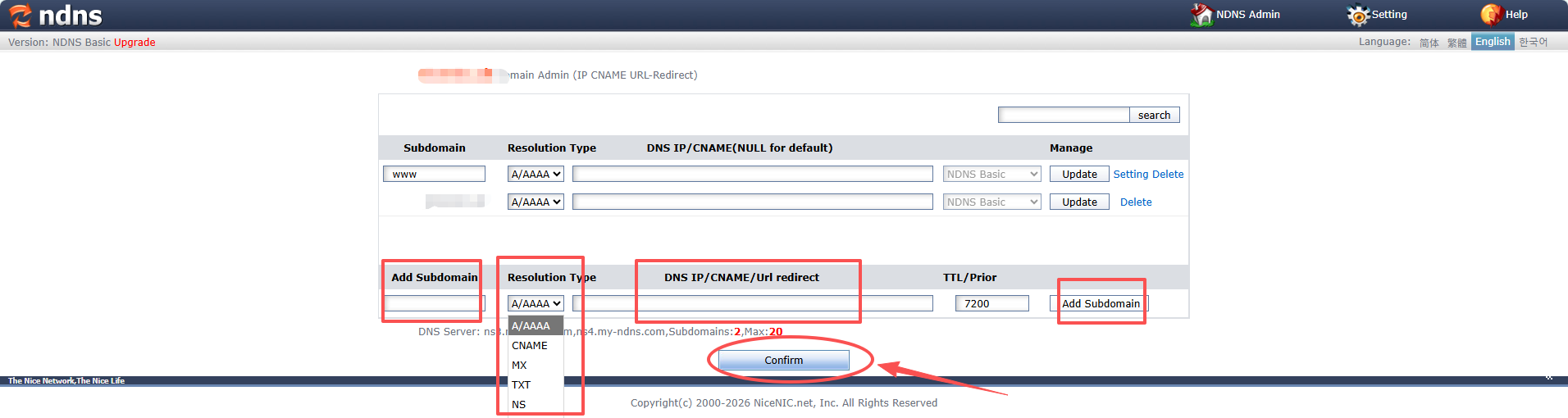
How to modify your DNS records if your domain is using our name servers.
Step by step:
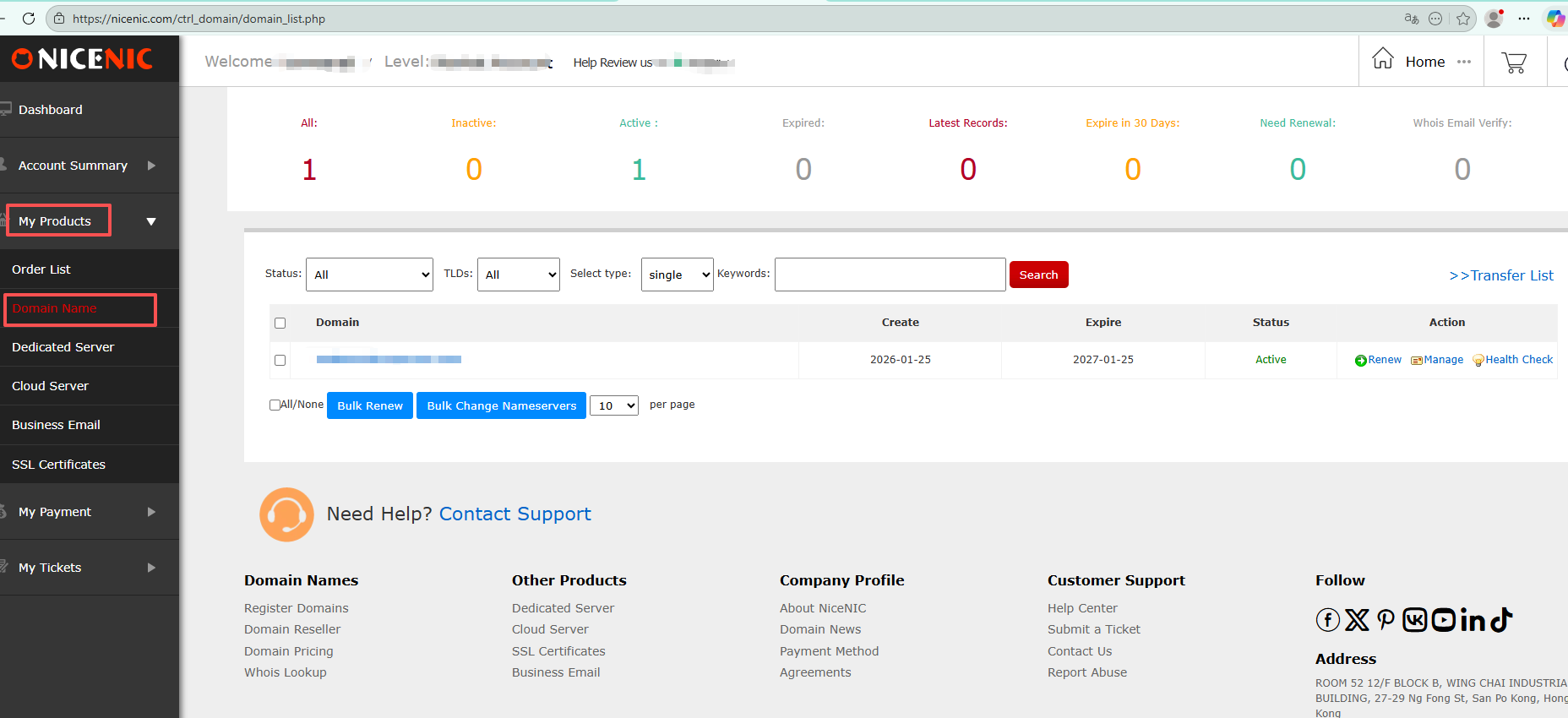
1.Login to your account.
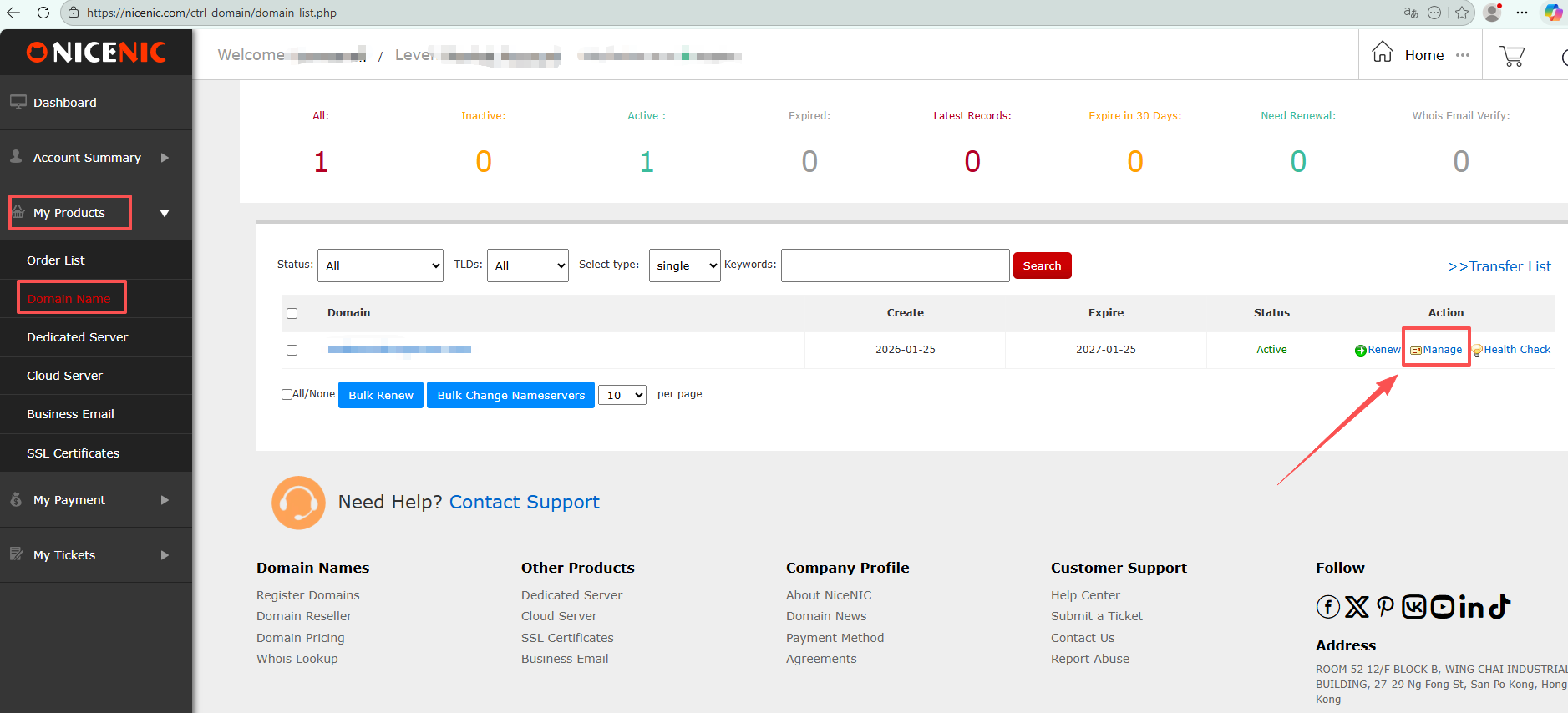
2.Click on the domain name in "My Products"
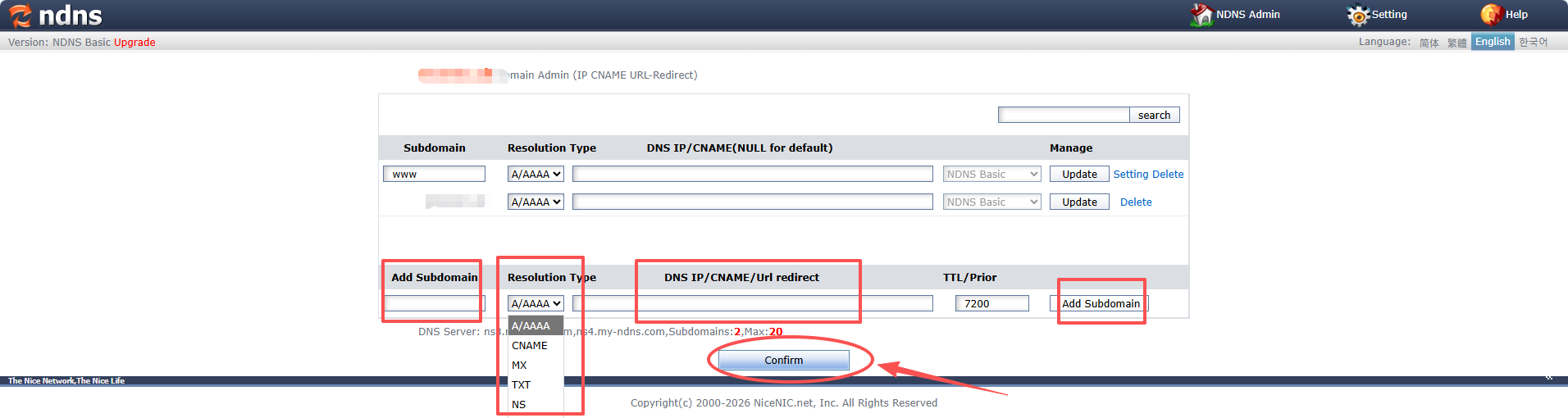
CNAME record,also called Alias record modify
Example:
Subdomain: blog
Type: CNAME
Value: yourdomain.com
This means when someone visits blog.yourdomain.com, they will be directed to yourdomain.com
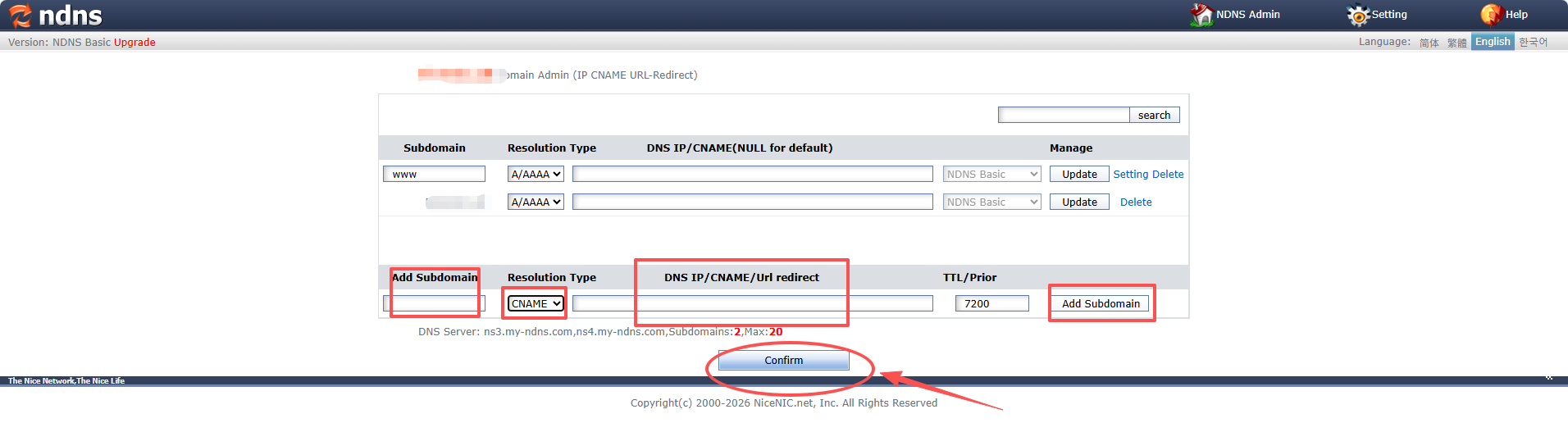
MX record, also called mail routing record modify
Example:
Type: MX
Priority: 10 (The priority helps to determine which mail server to use if multiple exist)
Value: mx.youremailserver.com
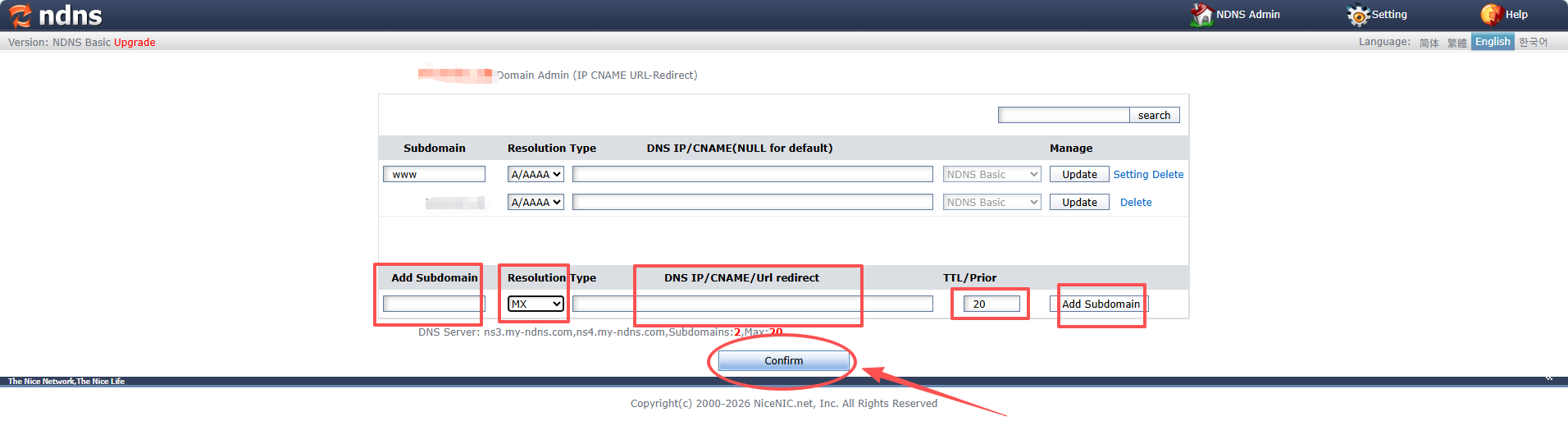
TXT record modify
Example:
Type: TXT
Value: "v=spf1 include:_spf.youremailserver.com ~all"

中华人民共和国增值电信业务经营许可证: B2-20150291
小胖传播 ? 版权所有 Copyright ? 2000-2026 XPP.cn. All rights reserved 备案号码:粤ICP备17140174号
声明:本网站中所使用到的其他各种版权内容,包括但不限于文章、图片、视频、音频、字体等内容版权归原作者所有,如权利所有人发现,请及时告知,以便我们删除版权内容



 返回
返回 打印
打印 提问
提问


