

|
|
How to create your Email accounts?
发布时间:2026-04-03 17:46:19 浏览人数: 9009 次
How to create your Email accounts? -- New Version
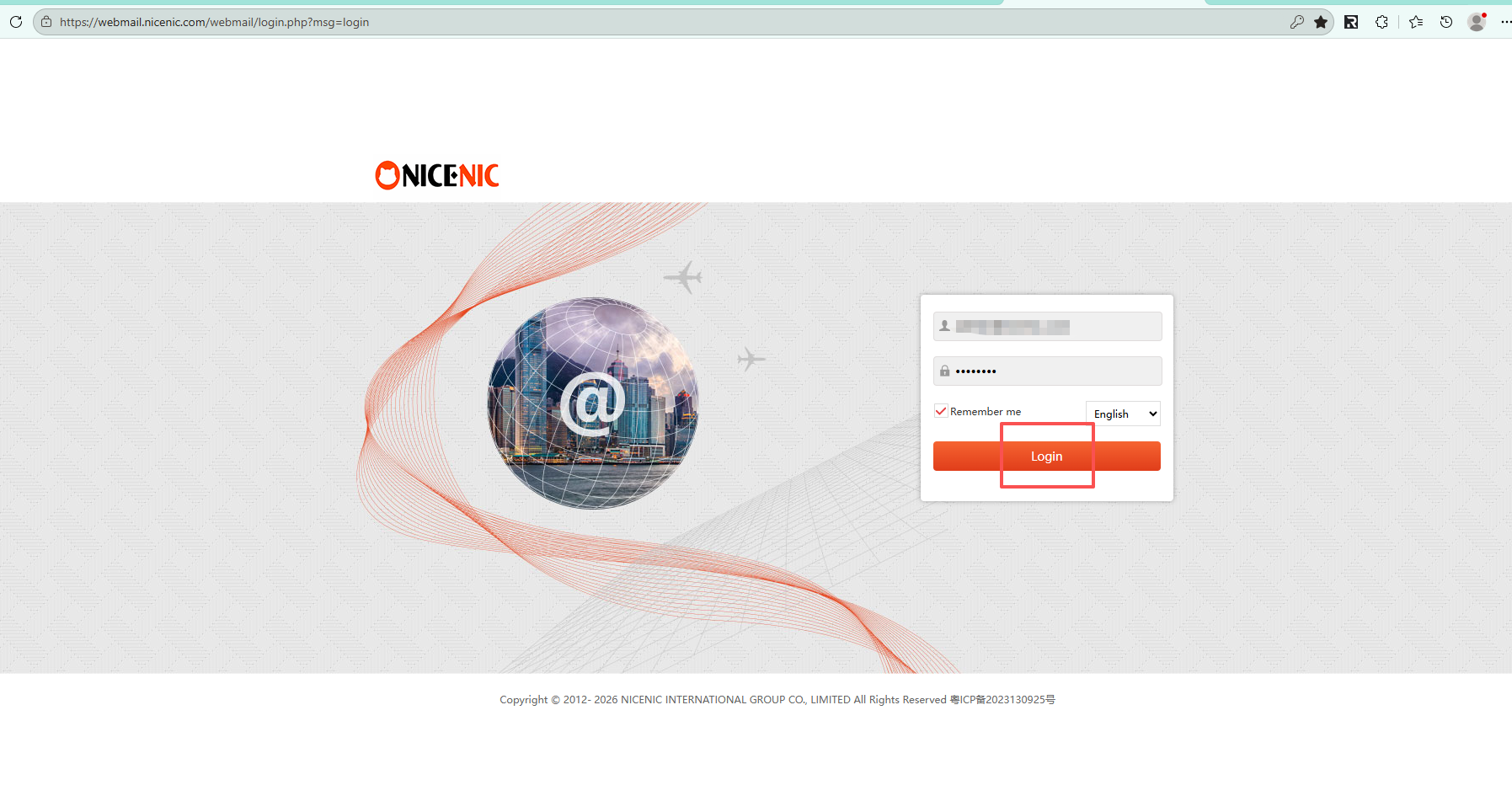
Step 1: Please log into your admin Email account via "http://webmail.nicenic.com/"
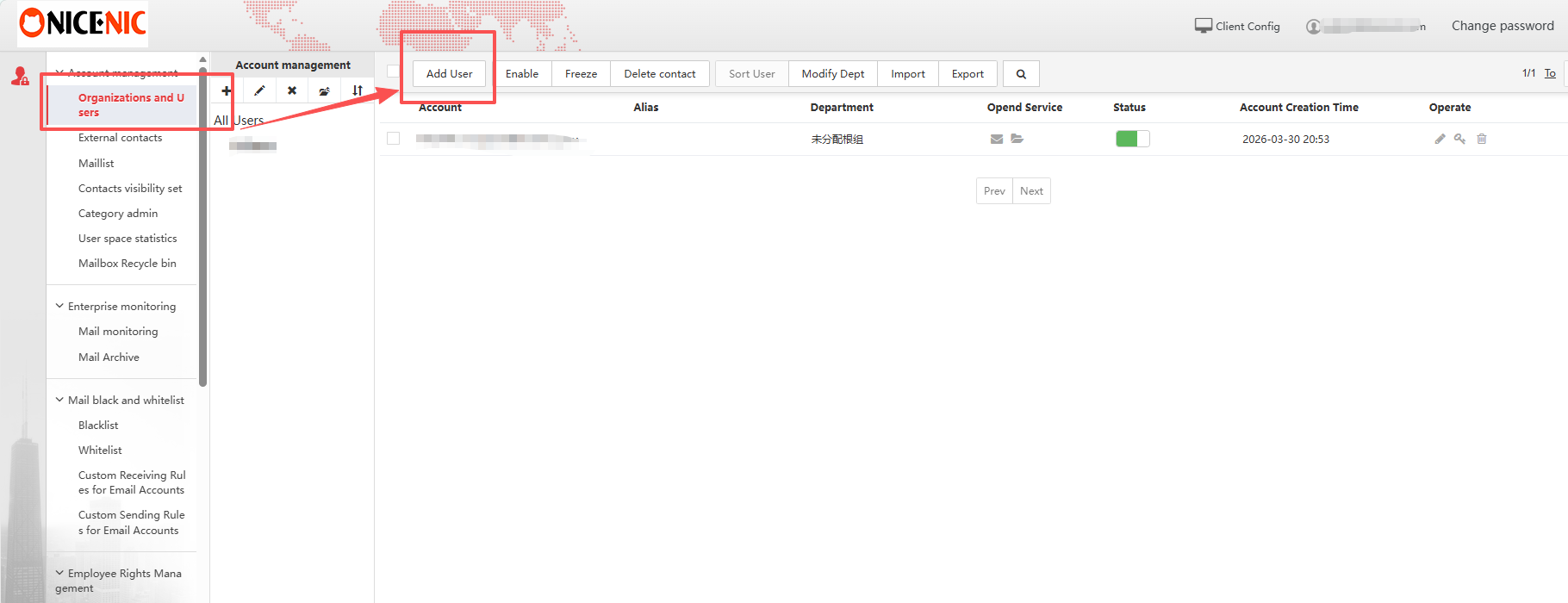
Step 2: Please select "Organizations and users" in the left navigation bar, then choose "Add User"
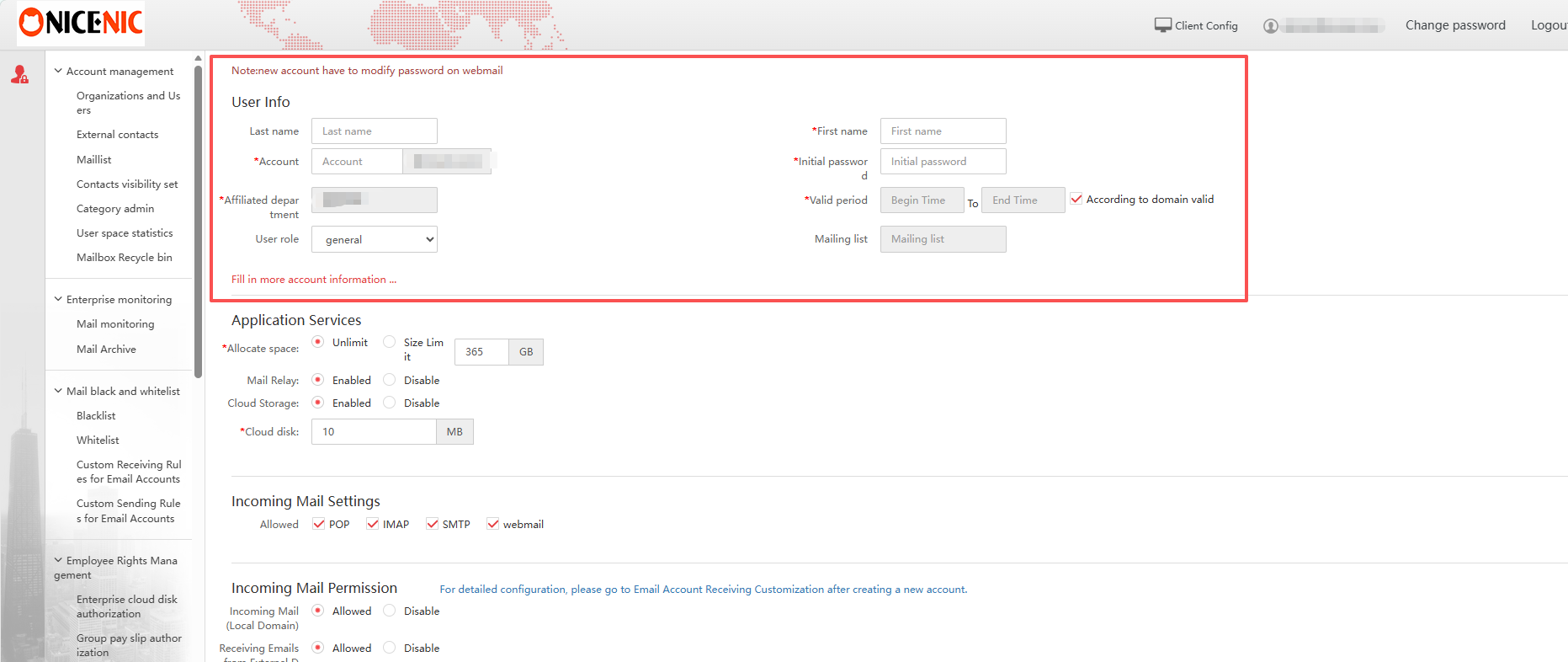
Step 3: Fill in the required user details (account, password, name, and department), then configure mailbox settings if needed and save to create the account.
看不明白该文挡,发信息给我们:
|